Custom Web Application Development Cost: Price by Feature
Custom web application development cost: the short answer
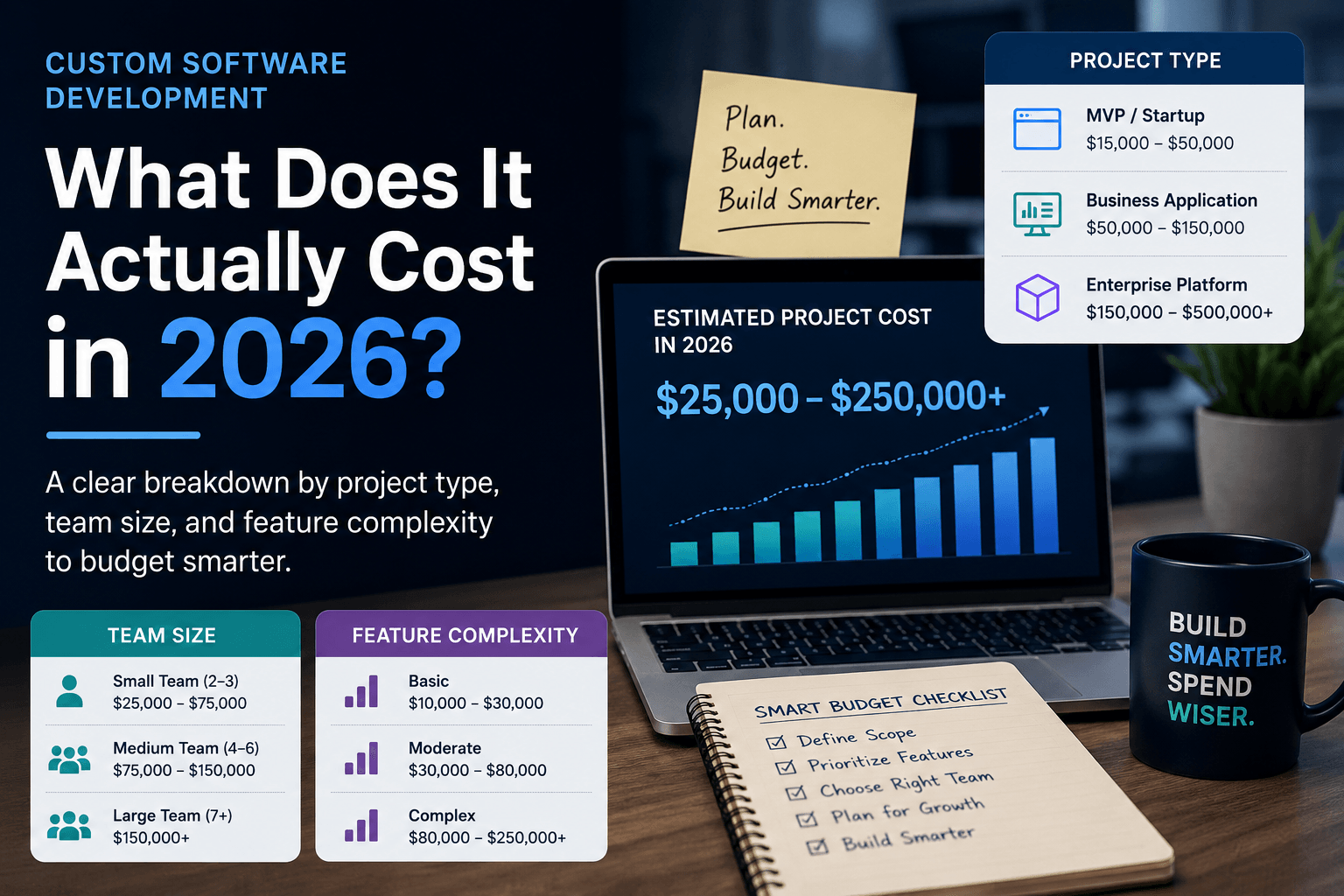
Custom web application development cost is set mainly by three things: how many distinct features you build, how complex the permissions, integrations and compliance requirements are, and how much work gets redone because scope was fuzzy. An MVP sits at the low end, a growth-stage product in the middle, and an enterprise platform at the top. For dollar ranges by tier, see our guide to custom software development cost in 2026.
Here is how the three tiers differ in practice:
MVP: one core workflow, simple login, maybe one payment flow, a minimal admin view. Built to test whether people want it.
Growth-stage: multiple user roles, subscription billing, dashboards, two or three integrations, a proper admin panel. Built for a product that already has customers.
Enterprise: SSO, audit logs, compliance work, many integrations, uptime commitments. Built for buyers who send security questionnaires.
These are planning numbers, not quotes. A scoped estimate replaces them as soon as someone has read your requirements.
One distinction saves a lot of confusion. A web application lets users log in, store data and do things: place orders, manage accounts, see reports. A brochure website mostly presents information. If you are asking "how much do custom websites cost?", a marketing site is a much smaller job than an app with accounts, payments and a database. This article is about the second kind.
What you're actually paying for
Every custom build, whatever the size, moves through the same phases. The cost is spread across them, and skipping one rarely saves money.
Discovery: clarifying the problem, users, workflows and constraints, and turning them into a scoped plan.
UI/UX design: user flows, wireframes and screens, so developers are not inventing the product as they go.
Frontend and backend development: what users see, plus the logic, database and APIs behind it.
QA: testing real workflows, edge cases and devices.
Deployment and launch: environments, monitoring, data migration, release.
Which decisions raise the price
Scope is the biggest lever. Every feature you add carries design, build, test and maintenance cost, and features with many edge cases (permissions, billing rules, integrations) cost far more than they look on a wireframe. Cutting one secondary feature almost always saves more than negotiating the hourly rate.
Team location and hiring model are the second lever. In rough terms:
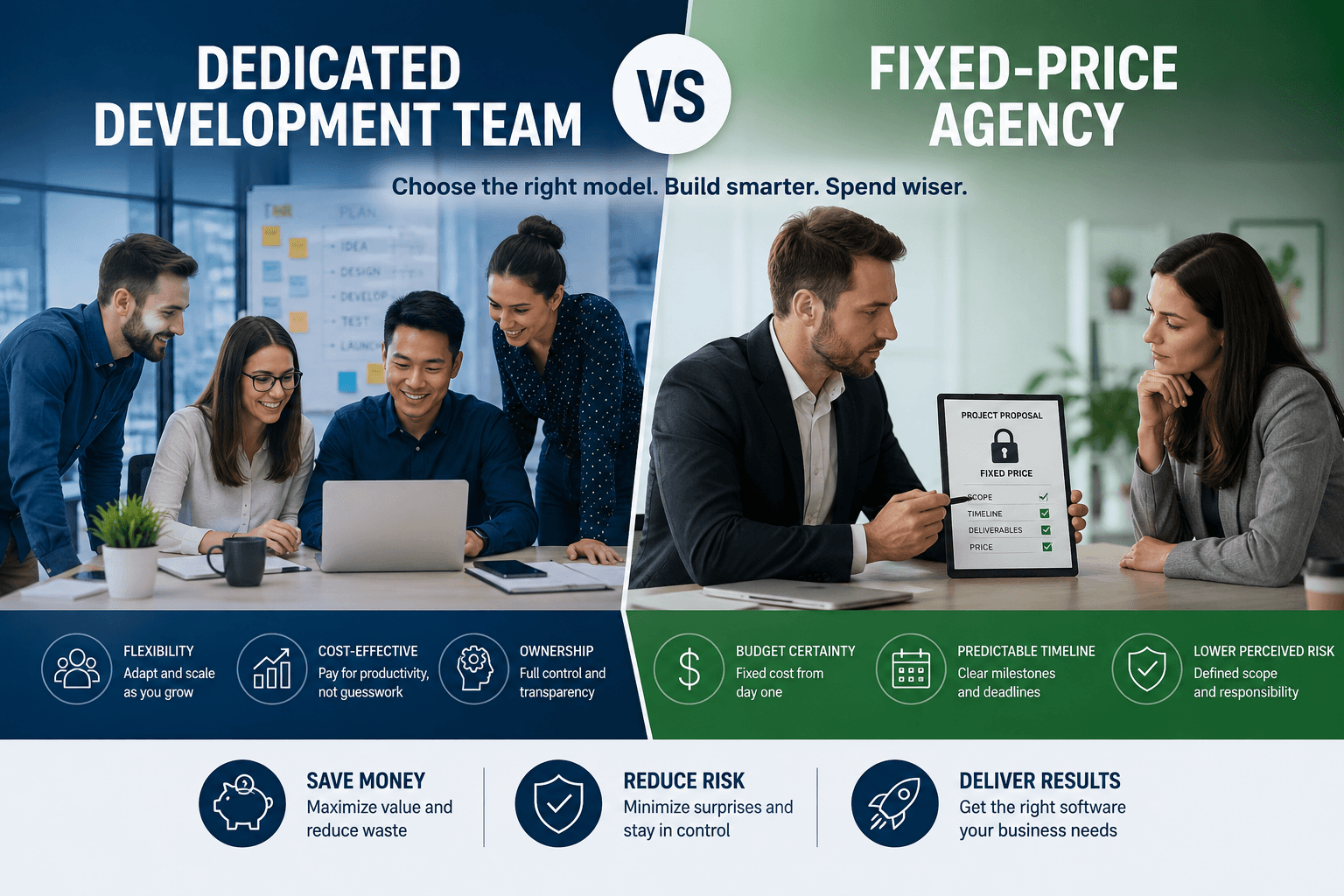
Freelancer: lowest hourly cost, but you carry the coordination, and one person is one point of failure.
Agency or studio: higher rate, but design, build, QA and project management come together. Quality varies a lot, so ask who exactly will write your code.
In-house team: best for long-term ownership, but you pay salaries, benefits and hiring time before the first release.
Dedicated team (team augmentation): a middle path when you have a roadmap and want capacity without full-time headcount.
Our hourly rates guide explains how rates differ and why a cheaper rate does not always mean a cheaper project.
Tech stack matters less than most buyers expect. Mainstream choices (React or Vue/Nuxt on the front, Node on the back, a managed database such as Supabase or Postgres on AWS) keep hiring easy and maintenance predictable. An exotic stack can raise cost later because fewer people can work on it.
On contracts, the trade-off is simple. Fixed price gives you cost certainty but only works when scope is well defined, and changes become paid change requests. Time and materials gives flexibility when you expect to learn as you build, at the price of needing active scope management. We cover this in detail in fixed price vs time and materials. Neither is automatically cheaper: a fixed price on vague scope usually just moves the argument to the change-request stage.
Price it by feature set
Generic factor lists ("complexity, location, stack") do not help you budget. A better method is to price each building block separately, then add them up. The table shows what is included in each block and what pushes it from low to high.
Feature | What's included | Cheaper when | More expensive when | Relative cost |
|---|---|---|---|---|
Authentication and roles | Email login, password reset, sessions, permissions | Standard email login using a proven auth service, two simple roles | Multi-tenant permissions, per-record access rules, SSO | Low to High |
Billing and subscriptions | Stripe checkout, plans, invoices, receipts | One plan, one currency, Stripe-hosted pages | Usage-based billing, proration, taxes, multiple currencies, dunning | Medium to High |
Dashboards and reporting | Charts, tables, filters, exports | A few fixed views on clean data | Custom report builders, real-time data, large datasets | Medium to High |
Third-party integrations | Syncing data with other systems | One tool with a documented, modern API | Legacy ERP, two-way sync, unreliable vendor APIs | Medium to High (per integration) |
Admin panel and back office | Managing users, content, refunds, support tools | Basic user and record management | Workflow tooling, approvals, internal roles | Low to Medium |
Compliance and security | Encryption, audit logs, access controls, documentation | Light needs, standard hosting controls | HIPAA, financial regulations, formal audits | Medium to High |
AI features | Chat, summaries, classification, search | One narrow task using a hosted model API | Custom pipelines, retrieval over private data, evaluation and guardrails | Medium to High |
The relative bands are meant for comparing blocks against each other. For dollar figures, use the estimator or a scoped estimate.
Authentication and roles
Basic email login is cheap, because mature services handle most of it. Multi-tenant role permissions are not. The moment you need "managers see their team's data, admins see everything, customers see only their own account," you are designing a permission model, and every screen and API call has to respect it. SSO (single sign-on with a customer's identity provider) adds setup and testing per customer type. Decide early which of these you need, because retrofitting permissions into a finished app is expensive.
Billing and subscriptions
Stripe makes taking a card payment easy. The cost is in the rules around it: free trials, upgrades and downgrades, failed payments, invoices, refunds, sales tax and VAT. A single flat-price plan is a small job. Usage-based or seat-based pricing with proration is a much bigger one. Start with the simplest pricing you can sell.
Dashboards and reporting
A dashboard is only as easy as the data behind it. If your data is clean and sits in one place, a few charts are quick. If numbers must be pulled from several systems, reconciled and exported to spreadsheets, most of the effort goes into the data, not the charts.
Third-party integrations
Integrations are where estimates drift most. One integration with a clean, well-documented API (Stripe, HubSpot, a modern Shopify store) is predictable. A legacy ERP, a two-way sync with conflict handling, or a vendor with weak documentation can cost several times more for the same "connect to X" line item. If integrations are central to your product, see our work on AI, API and system integrations for what to expect, and phase them so only the essential one ships first.
Admin panel and back office
Founders often forget this block, then discover on launch day that support cannot reset a user, issue a refund or see what happened. A basic admin is modest. A full back office with approval workflows and internal roles is a product in itself.
Compliance and security
Every app needs sound security basics. Regulated work is different. HIPAA for health data and financial regulations for payments or lending add requirements around access control, audit trails, data handling, vendor agreements and documentation. Compliance rarely adds a visible feature, so it is easy to underbudget. If a SOC 2-style report is in your future because customers will ask for it, design for it from the start.
AI features
A single focused AI feature, such as summarizing a document with a hosted model API, can be a modest addition. Anything that reads your private data, must be accurate, or needs guardrails and evaluation costs much more. AI also adds a per-use vendor bill after launch, covered below.
Sample budgets: MVP, growth and enterprise
These are illustrative composites built from the blocks above. They are not client projects, and they are not quotes.
MVP | Growth-stage | Enterprise | |
|---|---|---|---|
Feature bundle | One core workflow, simple login, one payment flow, minimal admin | Multiple roles, subscription billing, dashboards, 2-3 integrations, full admin | SSO, audit logs, compliance work, many integrations, advanced permissions |
Typical timeline | Shorter end of the typical range | Longer end of the typical range | Often phased, beyond the typical range |
Budget | Lowest of the three | A clear step up | Several times an MVP |
Suits | Validating demand | Companies with paying customers | Regulated or large-account buyers |
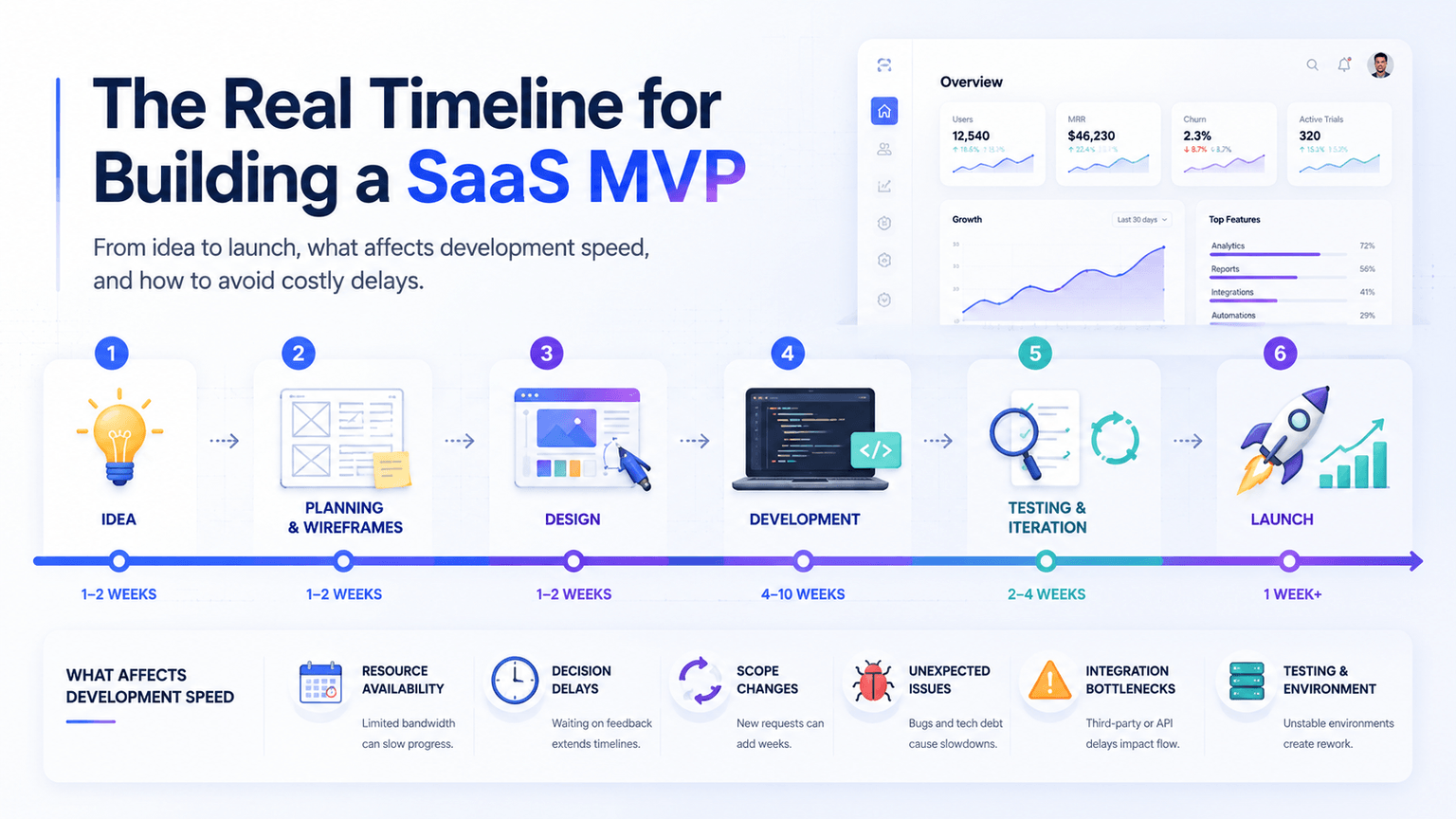
For the timeline, a typical web app is commonly quoted at around 3 to 6 months from kickoff to launch. Your own timeline depends on scope and how fast decisions get made. For current dollar ranges by tier, use our custom software development cost in 2026 breakdown.
MVP: what's in, what's deliberately out
In: the one workflow that proves the idea, email login, one way to pay, basic analytics, a simple admin screen. Out, on purpose: multiple user roles, custom reports, a mobile app, complex notifications, many integrations, advanced settings. If a feature does not help you learn whether customers will pay, it waits. We walk through realistic schedules in how long a SaaS MVP takes.
The minimum budget for a web app is whatever it takes to build one real workflow properly, with working login, a database, hosting and QA. Below that, you are buying a demo.
Growth-stage: second-generation features
Once customers exist, the requests change: team accounts, roles, reporting, integrations with their tools, better onboarding, self-serve billing changes. This is also when you pay for what the MVP skipped: performance work, automated tests and a cleaner architecture. Budget for it, because it is the cost of success, not a sign the MVP was wrong.
Enterprise: compliance, SSO, audit logs, SLAs
Large buyers ask for SSO, audit logs, data residency answers, uptime commitments and security reviews. Each of those is a line of work. Enterprise software is also expensive because it needs more process: formal change control, staging environments, documentation and on-call coverage.
Use the software development cost estimator to see how adding or removing a block changes the picture before you talk to anyone.
The costs after launch
The build is not the whole bill. A sensible monthly plan has three parts:
Monthly run cost = infrastructure + vendor fees + maintenance retainer
Hosting and infrastructure
Early on, hosting is usually a small line item on managed platforms such as Vercel, Supabase or AWS. It grows with traffic, storage, background jobs and the number of environments (production, staging). Enterprise setups with redundancy and backups cost more. Ask for a hosting estimate at your expected usage, not at zero users.
Maintenance and support
A common industry rule of thumb is to budget 15-25% of the original build cost per year for maintenance. That covers security patches, dependency updates, bug fixes, small improvements and monitoring. It is a planning figure, not a law, and a clean, well-tested codebase tends to land lower.
Third-party fees
These are the ones people forget:
Payment processing fees (a percentage of each transaction)
Transactional email and SMS
AI API usage, billed per request or token, which scales with how much your users use it
Error tracking and uptime monitoring
Third-party tool subscriptions (CRM, analytics, search)
Custom web application development cost per month
Think of it in two buckets: fixed monthly costs (hosting base, monitoring, retainer) and variable costs that scale with usage (payments, email, AI). Add them up at your current volume and at ten times that volume. If the second number breaks your margins, fix the design now, not later.
Watch technical debt in year two. Shortcuts taken to hit launch show up as slower changes and more bugs, and the maintenance bill rises if nobody pays them down.
Custom, no-code, or AI-built: when each is the cheaper option
Custom is not always the answer. The cheapest option is the one that matches how long you will keep the product and how unusual your workflow is.
No-code and templates
No-code tools win when the workflow is standard, the user count is small and speed matters. They stall when you need custom permissions, complex billing, performance at scale, or integrations the platform does not support. Monthly platform fees also add up, and you rent rather than own. Our post on when no-code tools stop being enough lists the signs.
Can I build my own app for free, or can ChatGPT build an app?
Partly. Free tools and AI assistants can produce a working prototype quickly, which is genuinely useful for testing an idea or showing investors a clickable version. They are weaker at the parts that carry real cost: secure authentication, correct billing, data protection, testing, deployment and long-term maintenance. A prototype that looks finished can hide missing safeguards.
Where vibe-coded prototypes stop being enough
Typical signs: real customers' data is involved, payments go through it, nobody on your team can explain how it works, and every fix breaks something else. At that point, have a senior engineer review the code. Sometimes the right move is hardening what exists, and sometimes it is a rebuild of the core. Review first, then decide.
Hidden costs and how to keep the budget under control
The most common budget overruns are not exotic:
Scope creep and change requests: small additions that each seem free. Track them in writing.
Rework from skipped discovery: building before requirements are clear means building twice.
Rescue and rebuild costs: a struggling codebase can often be stabilized and modernized for less than a full rewrite, provided the data model and core logic are sound. A rewrite makes sense when the foundations are the problem, not just the surface. A short audit tells you which case you are in.
Seven ways to lower the bill without cutting quality
Cut to one core workflow for version one.
Buy commodity parts (auth, payments, email) instead of building them.
Phase integrations, starting with the one customers need on day one.
Choose a mainstream stack that is easy to hire for and maintain.
Lock acceptance criteria for each feature before development starts.
Run discovery first, so the build is estimated against real requirements.
Review work in short cycles so wrong turns cost days, not months.
How to get a number you can trust
Quotes for the same app can differ by 3x because the vendors are pricing different things. Some include design, QA and project management, others do not. Some assume a simple permission model, others assume yours.
What to put in a brief so quotes are comparable
The problem and the primary user
The one core workflow, in plain steps
User roles and what each can see or do
Payments and billing rules
Systems to integrate, with the actual names
Compliance needs (HIPAA, financial rules, SOC 2-style requests)
Expected users at launch and in a year
Deadline and what is flexible
Red flags in proposals
A single lump sum with no breakdown by feature or phase
No mention of testing, QA or post-launch support
No discovery step, yet a fixed price
A very low number with vague assumptions
Nobody named as accountable for the technical decisions
Quick path
Start with the software development cost estimator to get a ballpark from your feature list, then ask for a scoped estimate. At NextGen, one senior technical lead owns the estimate and the build, which cuts handoff mistakes between sales and delivery. If you want to see what we offer, start with our web app development services.
If you would like a second opinion on your feature list or a quote you have already received, book a free discovery call at nextgensoftware.us/contacts. We will tell you honestly what we think it involves, including when a smaller build or an off-the-shelf tool is the better answer.
Frequently Asked Questions
How much do custom websites cost?
A custom brochure website is usually a much smaller project than a web application, because it has no user accounts, payments or complex logic. Cost rises with the number of pages, custom design and any integrations. If you need logins, a database or billing, you are in web app territory and should budget by feature.
How much is an app with 100,000 users worth?
User count alone does not set value. What matters is revenue per user, retention, engagement and growth. A common approach is to value the app as a multiple of annual recurring revenue or profit, adjusted for churn and growth. 100,000 users who rarely return or never pay can be worth little.
How long does a custom web app take to build?
A typical web app is commonly quoted at around 3 to 6 months from kickoff to launch. An MVP with one core workflow can land at the shorter end. Growth-stage and enterprise builds with roles, integrations and compliance take longer and are often released in phases.
Can I build my own app for free?
You can build a prototype for free or very little using no-code tools and AI assistants. The cost shows up when you need secure login, payments, data protection, testing and ongoing maintenance. Free is fine for validating an idea. It is risky for a product holding customer data.
Can ChatGPT build an app?
ChatGPT and similar tools can generate working code and help you build a prototype quickly. They are less reliable at security, architecture, edge cases and maintaining a codebase over time. Treat the output as a starting point and have an experienced engineer review it before real users or payments are involved.