Offline-First Mobile Apps for Field and Healthcare Teams
What Happens When Your App Loses Signal?
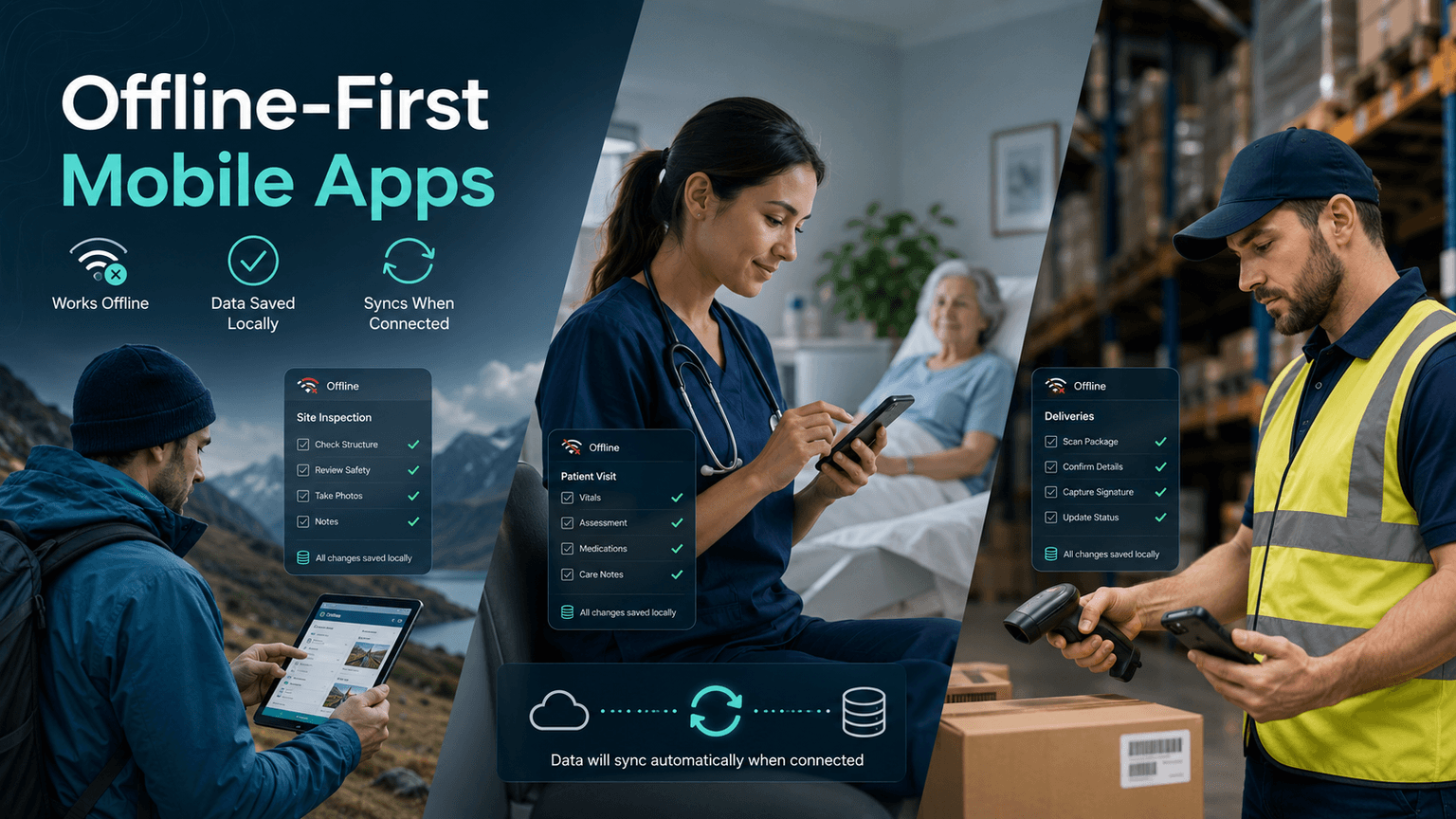
Imagine a home health nurse finishing a patient assessment in a rural neighborhood, only to watch the app freeze because the cellular signal dropped. Or picture a delivery driver unable to confirm a signature because the warehouse management system needs a live internet connection. These are not edge cases. They are daily realities for thousands of workers across field service, healthcare, and logistics industries.
The solution is not to find areas with better Wi-Fi. The solution is to build software that does not need a constant connection to function. That is exactly what offline-first mobile app development delivers.
This guide explains what offline-first architecture means, why it matters for operations-heavy industries, and what to look for when evaluating custom mobile app development for your team.
What Does "Offline-First" Actually Mean?
An offline-first app is designed from the ground up to work without an active internet connection. Data is stored locally on the device, all core features remain functional without Wi-Fi or cellular, and changes sync automatically to the cloud once connectivity is restored.
This is fundamentally different from a standard app that simply shows a "no connection" error when the network drops.
Here is how the two approaches compare:
Standard app: Requires constant connection, fails or freezes without it, and may lose unsaved work entirely.
Offline-first app: Works fully on-device, queues changes locally, and syncs in the background when a connection returns.
The technical foundation typically involves local databases such as SQLite or Realm, background sync engines, and conflict resolution logic that handles cases where multiple users update the same record while offline. For non-technical decision-makers, the key takeaway is this: your team keeps working no matter what the signal bars say.
Why Field Service Teams Cannot Afford Connection Dependency
Field service businesses, including HVAC companies, utility crews, property inspectors, and equipment repair technicians, send workers into environments where internet access is unpredictable at best.
When your field app goes offline, the consequences are immediate:
Job orders cannot be pulled up or updated
Photos and inspection notes cannot be saved to the central system
Customer signatures cannot be captured for proof of service
Inventory counts and parts usage go unrecorded
With an offline-first field service app, technicians complete every task on their device regardless of connectivity. When they return to the truck or reach a signal, everything syncs automatically. Dispatchers see real-time updates without anyone having to re-enter data manually.
The productivity gains are measurable. Fewer incomplete jobs, less time on hold with the office, and far fewer data entry errors caused by trying to remember details after the fact.
Healthcare and Home Health: When Connectivity Is a Patient Safety Issue
In healthcare settings, the stakes around data availability are even higher. Home health aides, visiting nurses, and mobile diagnostics teams work in patient homes, assisted living facilities, and community clinics that may have unreliable or restricted network access.
Key workflows that break without offline capability include:
Patient intake forms and clinical assessments: Nurses need to document vitals, medications, and care notes at the point of care.
Electronic health record (EHR) access: Reviewing prior notes or care plans offline prevents gaps in treatment.
Medication administration records: Tracking dosages in real time is a compliance and safety requirement.
HIPAA-compliant data handling: Offline apps can be built to encrypt local data, ensuring protected health information stays secure even on the device.
A well-built offline-first healthcare app reduces documentation backlogs, improves accuracy by capturing data in the moment, and helps organizations meet compliance requirements by maintaining a complete, timestamped audit trail.
Logistics and Supply Chain: Moving Goods Should Not Require Moving Data Through the Cloud
Warehouse floors, loading docks, freight yards, and delivery routes are notorious connectivity dead zones. Logistics teams face this challenge daily, and the cost of downtime in this sector is directly tied to revenue.
Offline-first capability matters most in logistics for:
Barcode and QR code scanning: Inventory scans should write to local storage instantly, not wait for a server response.
Proof of delivery capture: Driver signatures and delivery photos need to be captured at the door, not uploaded later from the parking lot.
Route and manifest data: Drivers need access to their full schedule and delivery instructions without depending on spotty data coverage.
Real-time inventory adjustments: Warehouse staff updating stock counts in a low-signal environment cannot wait for a round trip to the server.
When logistics software is built offline-first, operations continue at full speed. Syncing happens in the background, and managers get accurate, up-to-date data without chasing down workers to reconcile paperwork.
What to Look for in a Custom Offline-First App
If you are evaluating custom mobile app development for your team, here are the capabilities that separate a genuinely offline-first solution from one that simply claims to be:
Local data persistence: The app stores all necessary data on the device using a structured local database.
Conflict resolution logic: When two users edit the same record offline, the app has clear rules for which version wins or how to merge changes.
Background sync with retry logic: The app automatically retries failed syncs without requiring user action.
Encrypted local storage: Sensitive data on the device is protected by encryption, especially critical in healthcare and financial services.
Offline UI indicators: Users can see at a glance whether they are working online or offline, and which records are pending sync.
Cross-platform support: Whether your team uses iOS or Android, the offline experience should be consistent.
Off-the-shelf software platforms sometimes offer limited offline modes, but they rarely cover the full range of workflows your team depends on. Custom development gives you the ability to map offline behavior to exactly how your operations work.
Building the Right Solution for Your Team
Offline-first apps are not a niche technology trend. For field service companies, healthcare providers, and logistics operators, they are quickly becoming a baseline expectation. Teams that rely on connectivity-dependent software are leaving productivity on the table and creating unnecessary risk.
The good news is that building a robust offline-first mobile app is very achievable with the right development partner. The key is working with a team that understands both the technical architecture and the specific workflows your employees follow every day.
At NextGen Software, based in Boca Raton, FL, we specialize in custom mobile app development for growing businesses and operational teams that need software built around the way they actually work. Whether you are in field service, home health, logistics, or any industry where connectivity is unreliable, we can design an offline-first solution that keeps your team moving. Visit nextgensoftware.us to schedule a free discovery call and talk through what the right mobile solution could look like for your business.